everything you love
Made for
people with
broad taste.
sad films and rhythm games





 Hi-Fi Rush
 Sayonara Wild Hearts
 Crypt of the NecroDancer
 Hollow Knight
Whatever you're into, it's here.



































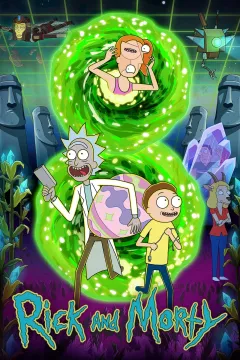













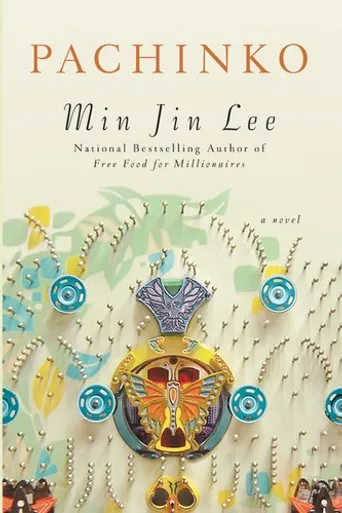
Already have a library somewhere? One-click import.


Books
9

Sports
5


TV Shows
18

Travel
12


Movies
32


Games
22

Music
26


Podcasts
4


Docs
6


Anime
14


Youtube
7


Stop explaining your taste. Show it.
Every favorite you have, ready to share.
Drop it anywhere.
 Instagram(example)
Bio that speaks for you
Replace the plain link with a full taste profile. Let others know you faster.

 Hinge(example)
Skip the small talk
One link shows everything you're into. Shared taste = instant connection.
Instagram(example)Bio that speaks for you
Replace the plain link with a full taste profile. Let others know you faster.
 Linktree(example)
One link, everything about you
Already using Linktree? Pin Favly at the top and let your taste do the talking.
Skip the "so... what do you like?"


Watch what happens.
They get you
Real conversations start
Right people find you
See if you actually vibe
Now let people see it.
No credit card needed · Takes 2 minutes
Favly is free. Pro is $1/mo if you want more. See what's in Pro →
Frequently Asked Questions
Everything you want to know about Favly
What is Favly?
Favly is a free link in bio built for people who are passionate about entertainment. You create a personal profile showcasing your favorite movies, TV shows, anime, games, books, and more — then share it in one link anywhere online. It's not just a list of URLs; it's a page that shows the world who you really are through what you love.
How is Favly different from Linktree or other link in bio tools?
Linktree and most link-in-bio tools are designed to list your social media links. Favly is something different: it's built around your taste and identity. Instead of 'here are my accounts,' your Favly profile says 'here's what I'm into' — movies, anime, games, books, and more. It's a personality page, not a redirect page. If you want people to actually know you, Favly is the better choice.
Can I see what I have in common with someone on Favly?
Yes! Build your own Favly profile, then visit a friend's or crush's profile and hit 'Start Matching' — Favly will instantly show everything you both love: shared movies, anime, games, books, and more. It's a great way to discover common ground and start a real conversation. The more you both add to your profiles, the better the match.
How do I use Favly with dating apps like Tinder, Bumble, or Hinge?
Add your Favly link (favly.me/u/yourname) to your Tinder, Bumble, Hinge, or OkCupid bio. Your matches can see your taste in movies, games, and books before the first message — giving them real conversation starters. If they also have a Favly profile, visit their page and hit 'Start Matching' to see exactly what you two have in common. Shared taste is the best icebreaker.
Is Favly free to use?
Yes — Favly is completely free to sign up and use. The free tier lets you add up to 20 public favorites per category. Pro is $1/month (with a 7-day free trial for new users) and Prime is a one-time $4 lifetime purchase — both unlock higher limits for power users. You can do a lot with the free tier and upgrade only if you need more.
More questions
How do I get started on Favly?
Sign up for free at favly.me — no credit card needed. Search for your favorites across movies, TV shows, anime, games, books, and more, then add them to your profile with a rating and status (watched, watching, or want to watch). Your personal page at favly.me/u/yourname is ready to share instantly. The whole setup takes under 5 minutes.
How do I add Favly to my Instagram or TikTok bio?
Copy your Favly profile URL (favly.me/u/yourname) and paste it into the website field on Instagram, TikTok, Twitter/X, Threads, Discord, or any platform that supports a bio link. Anyone who taps your link will land on your full taste profile — a much more interesting first impression than a generic Linktree page.
Can I control what people see on my Favly profile?
Yes. Every item you add to your profile can be set to public or private. Public items appear on your shareable profile page; private items are visible only to you. You're always in full control of what you share with the world.
Does Favly work on mobile?
Yes. Favly is designed mobile-first. Your profile looks great on any phone, and the full Favly experience — searching, adding favorites, sharing your profile — works smoothly on iOS and Android browsers. No app download required.
What categories can I add to my Favly profile?
You can showcase favorites across Movies, TV Series, Anime, Games, Books, Documentaries, Music, Sports, YouTube Channels, and Podcasts. Each category lets you search and add titles, rate them, set a status (completed, in progress, or planned), and control visibility.
Is my data safe on Favly?
Yes. Favly is built on Supabase, a secure and compliant backend infrastructure. We do not sell your data. Your private items are never visible to other users. You can delete your account and all associated data at any time, immediately, from Settings on your profile.